By CroquetClaude · Video · 0:52 · First added 3 Aug 2026
How to add your news and photos on HOOPLA
The whole flow, in a minute: where the button is and what happens after you use it.
Any club can send its own story and photos to HOOPLA, CAQ's website for croquet stories.
The Add Photos & News button is near the top of the HOOPLA home page. No sign-in is needed.
Each story gets a quick check before it goes on the site. The words are not changed.
Email works too: hello@croquetqld.org.
This guide is for anyone at a club who wants to share a club story. The video shows every step in under a minute.

How clubs do it
- Go to news.croquetqld.org. Near the top of the page, press the maroon Add Photos & News button. The "Add your news" form opens.
- Type a short headline in the Headline box.
- Press Add photos and video and choose your photos. The first photo becomes the story's cover picture.
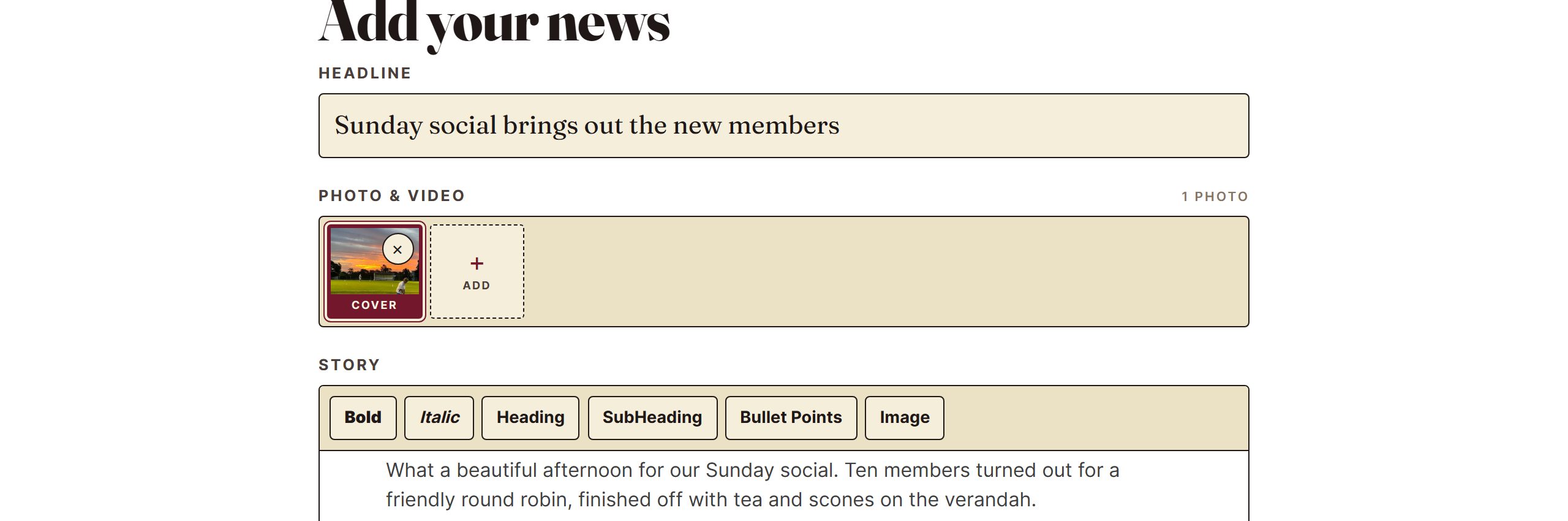
- Write the story in the Story box.
- Fill in Your name, Club and Email. As you type the club's name, a list of clubs appears. Pick yours from the list.

- Press Send it in.
- A bar asks "Send this story in for a check?" Press Yes, send it.
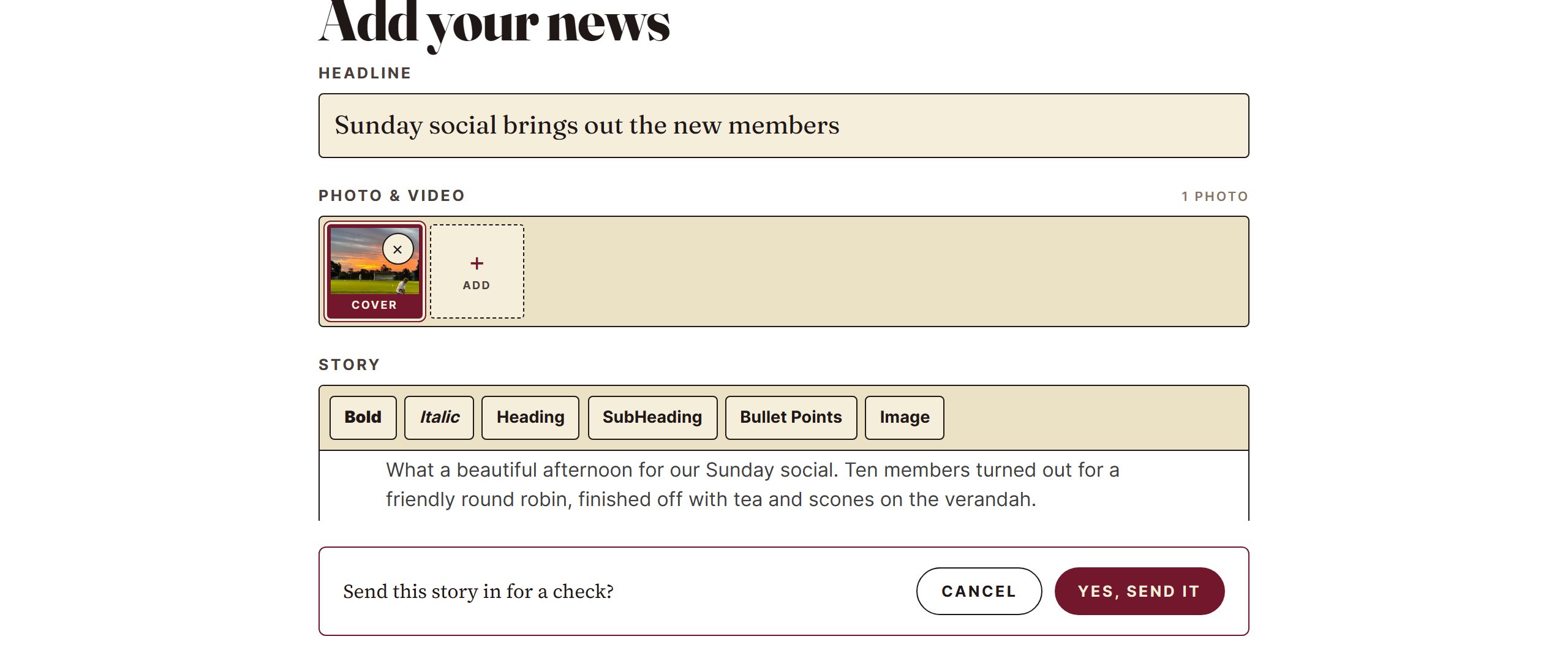
- A thank-you message appears. The story gets a quick check before it goes on the site, the same as everything else on HOOPLA.

Rather use email?
Email the story and photos to hello@croquetqld.org.
Where this comes from
Last fact check: 23 September 2026
Comments
Ask a question or tell us what worked at your club. Replies show under your comment.